
Treasury bills are a great way to put cash savings to work, but here’s the thing: the treasury website is awful.
Why Treasury Bills?
Treasury bills pay more than your average high-yield savings account. As of September 26 2024, a 4-week t-bill pays 4.783%, but that’s not all: the return you earn on your bills are exempt from state and local taxes. Meaning you keep more money after you pay Uncle Sam.
Here is a step-by-step guide to using the TreasuryDirect website to purchase your treasury bills.
Step 1: Create an account
Visit the TreasuryDirect.gov website to create your account.
Step 2: Login
Once you’ve completed the sign up process, head back to TreasuryDirect.gov to login.
Step 3: Click on the “BuyDirect” tab
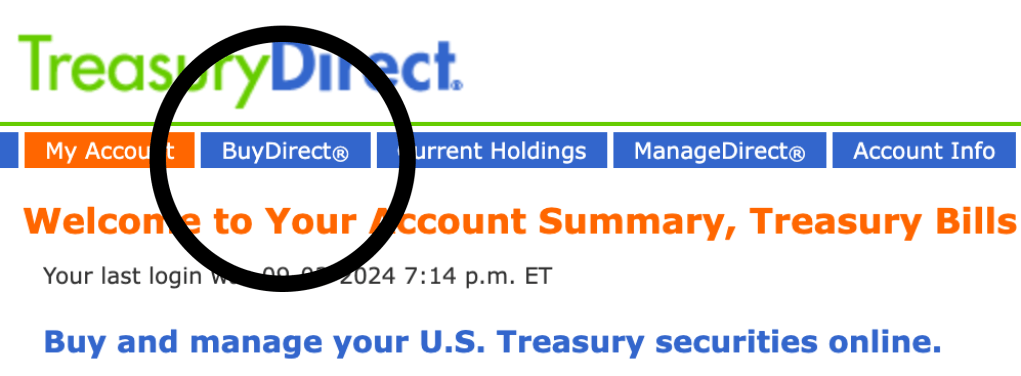
Step 4: Click on the “Bills” button

Step 5a: Select the term you prefer
The “term” is the length of time that you’ll be holding the bill. The longer the term, typically the higher the return. In this example, I’m selecting the shortest term which is 4-weeks.
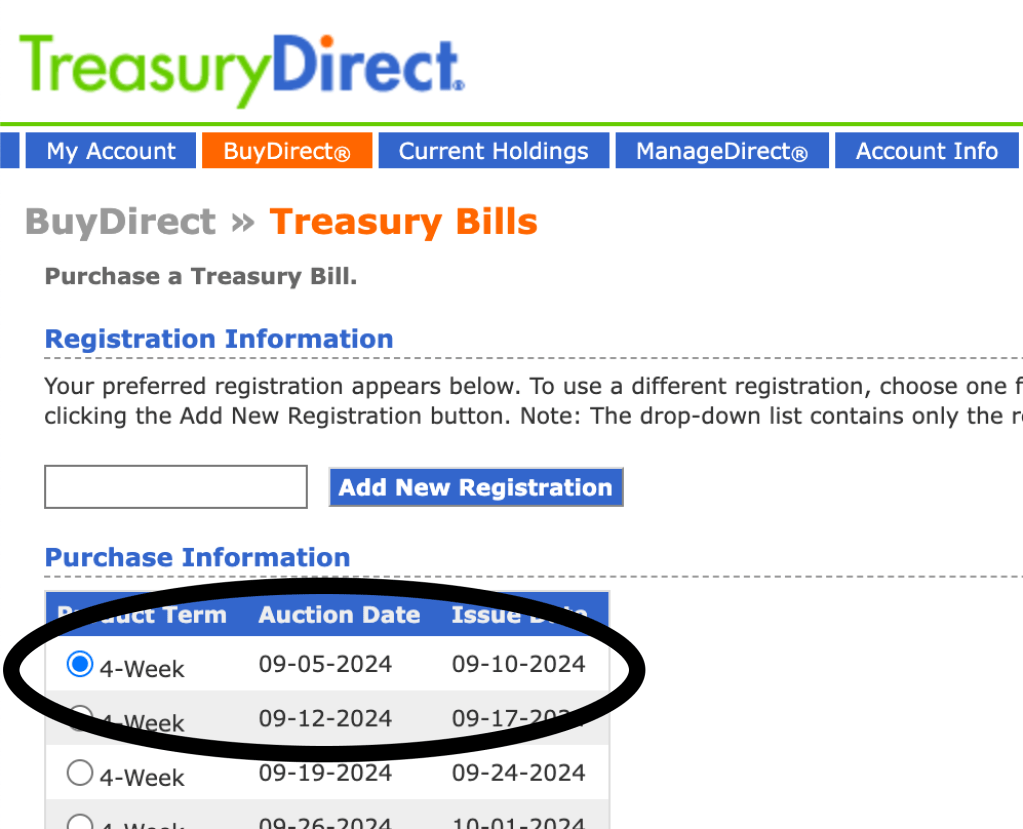
Don’t worry about the auction date. There isn’t anything you’re required to do. Think of the auction date as the date that the return (similar to “interest rate”) is decided for the bill. If you want to get an idea of what interest rate to expect, you can review the 20 most recent auctions.
The issue date is the day the money will be deducted from your checking or savings account.
Step 5b: Scroll down and choose the purchase amount

This is the amount of money you wish to put in treasury bills for the length of time you selected in the previous step.

The minimum amount you can purchase is $100. The maximum amount is $10,000,000.
Step 5c: Reinvest automatically?

If you’d like, you can have the treasury bills automatically reinvest so you can avoid having to do this process again, but personally, I would rather do it manually than forget and have the money automatically deducted from my account and overdraft. Your call though!
Step 5d: Click submit
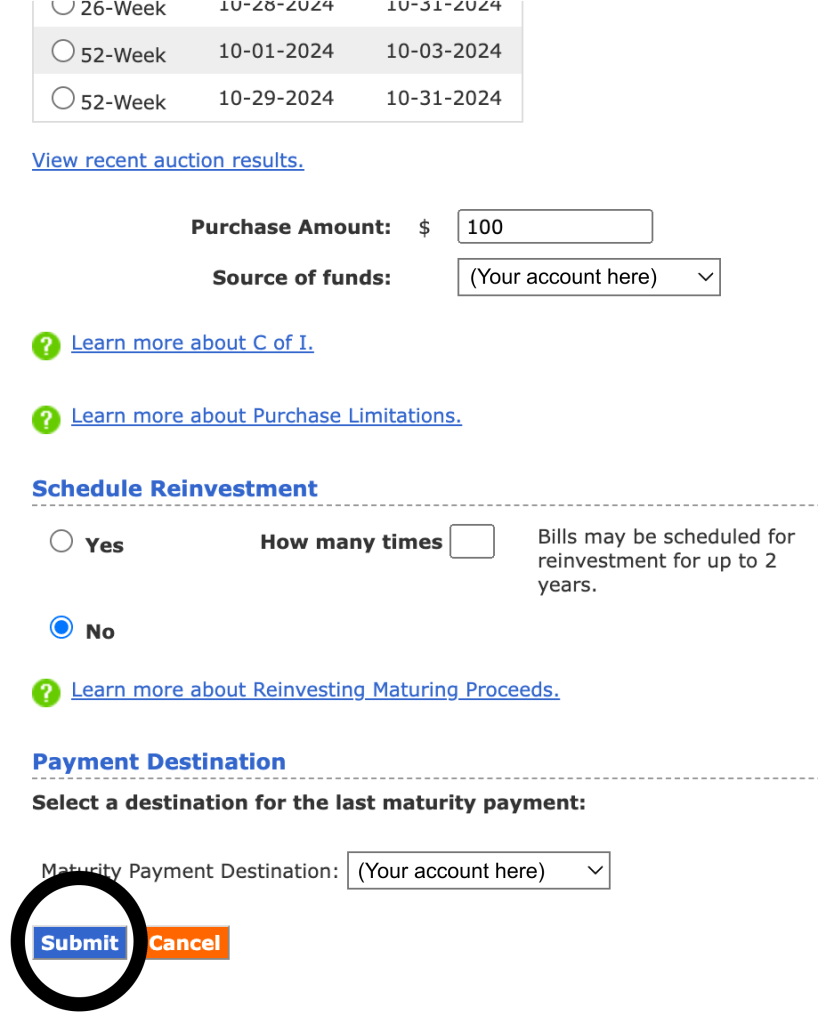
Don’t worry, you’ll have one more chance to review the information before you actually submit your purchase order.
Step 6: Confirm and purchase
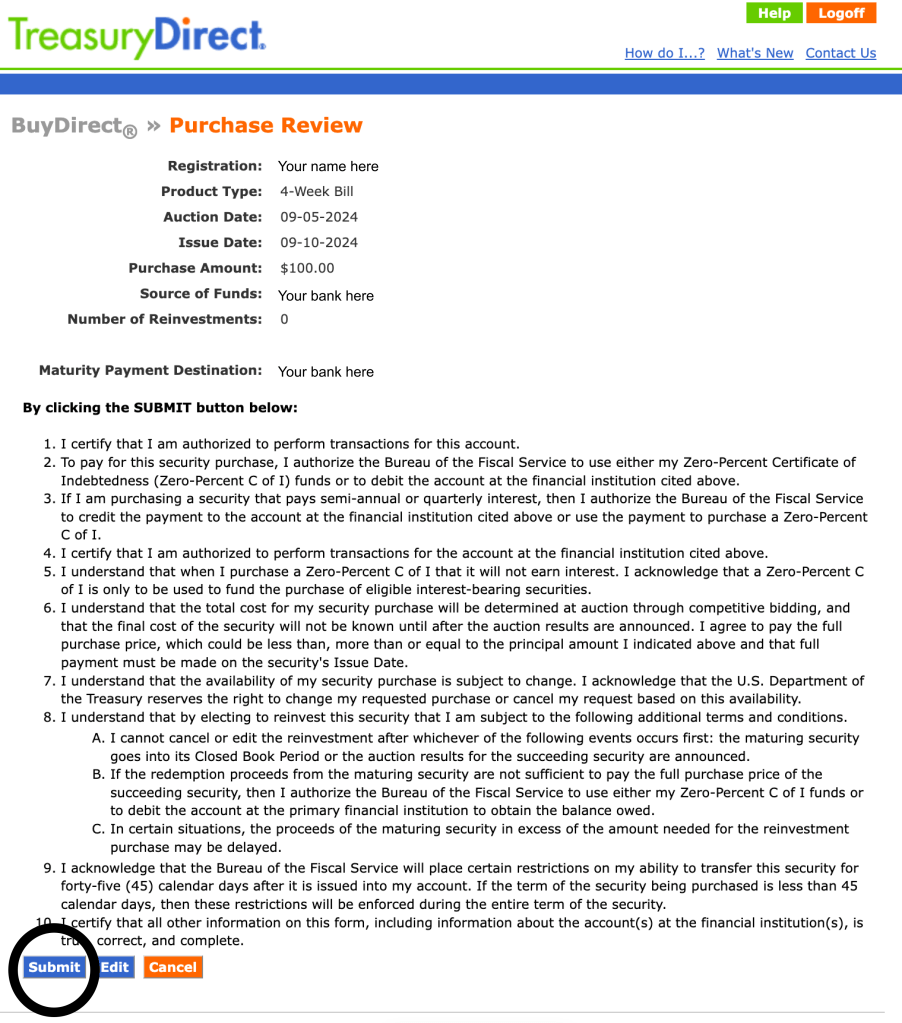
Take a moment to review all of the details. If everything looks good, click the “Submit” button and your purchase order will be placed.
Step 7: Enjoy the benefits of Treasury Bills
You did it! You can now say, “Sure, I have a high yield savings account, but I actually prefer treasuries” at cocktail parties and impress your friends.
Really though, good job taking the time to learn about treasuries in the first place and then taking the time to learn how to navigate their terrible website.




 Winchell House
You must be logged in to post a comment.